Set Up Your AI Chatbot in 5 Minutes
Follow this step-by-step guide to create, customize, train, and deploy your AI chatbot. No coding required — just paste your website URL and you're live.
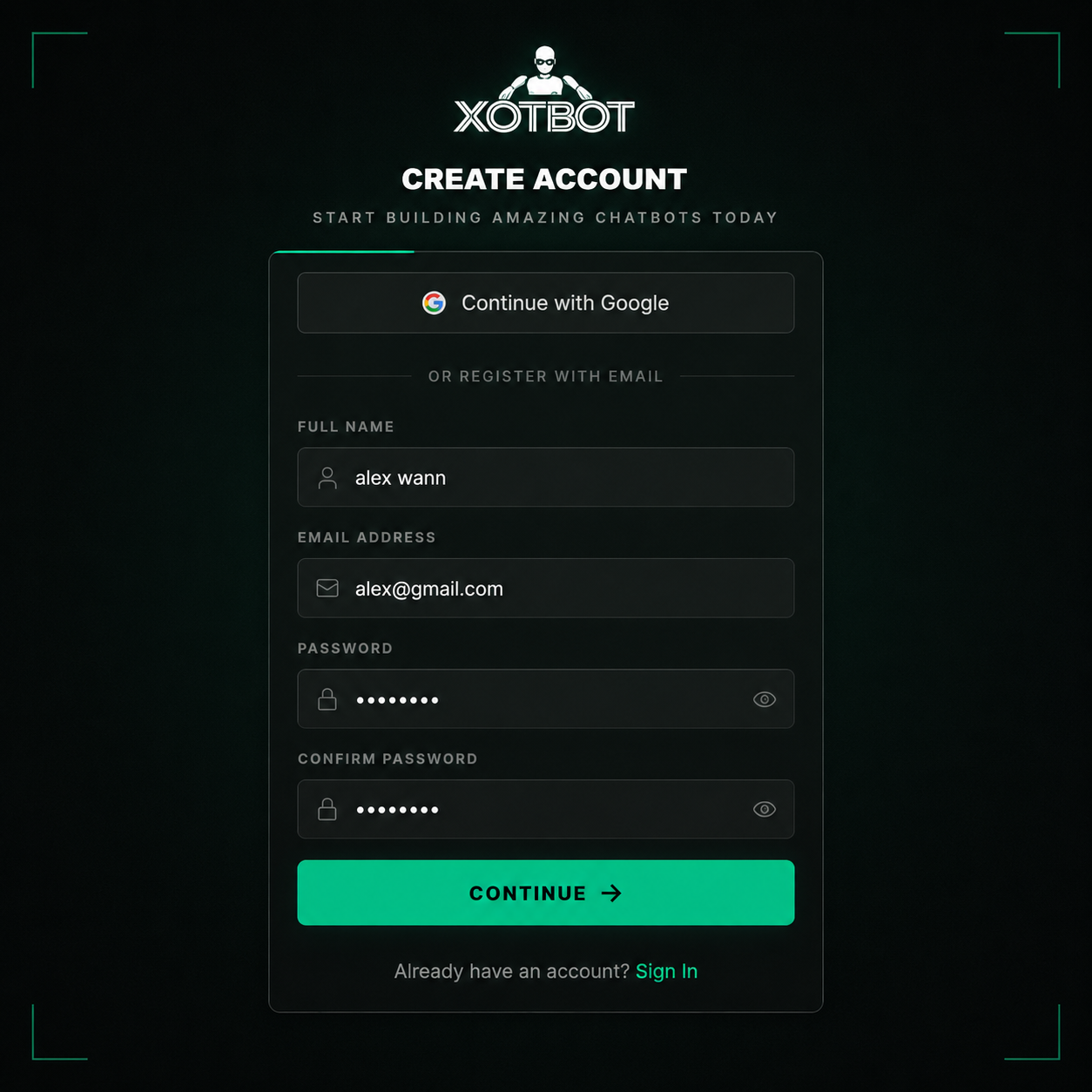
Create Your Account
Head to app.xotbot.com and create your account. Enter your name, email address, and a secure password to get started.
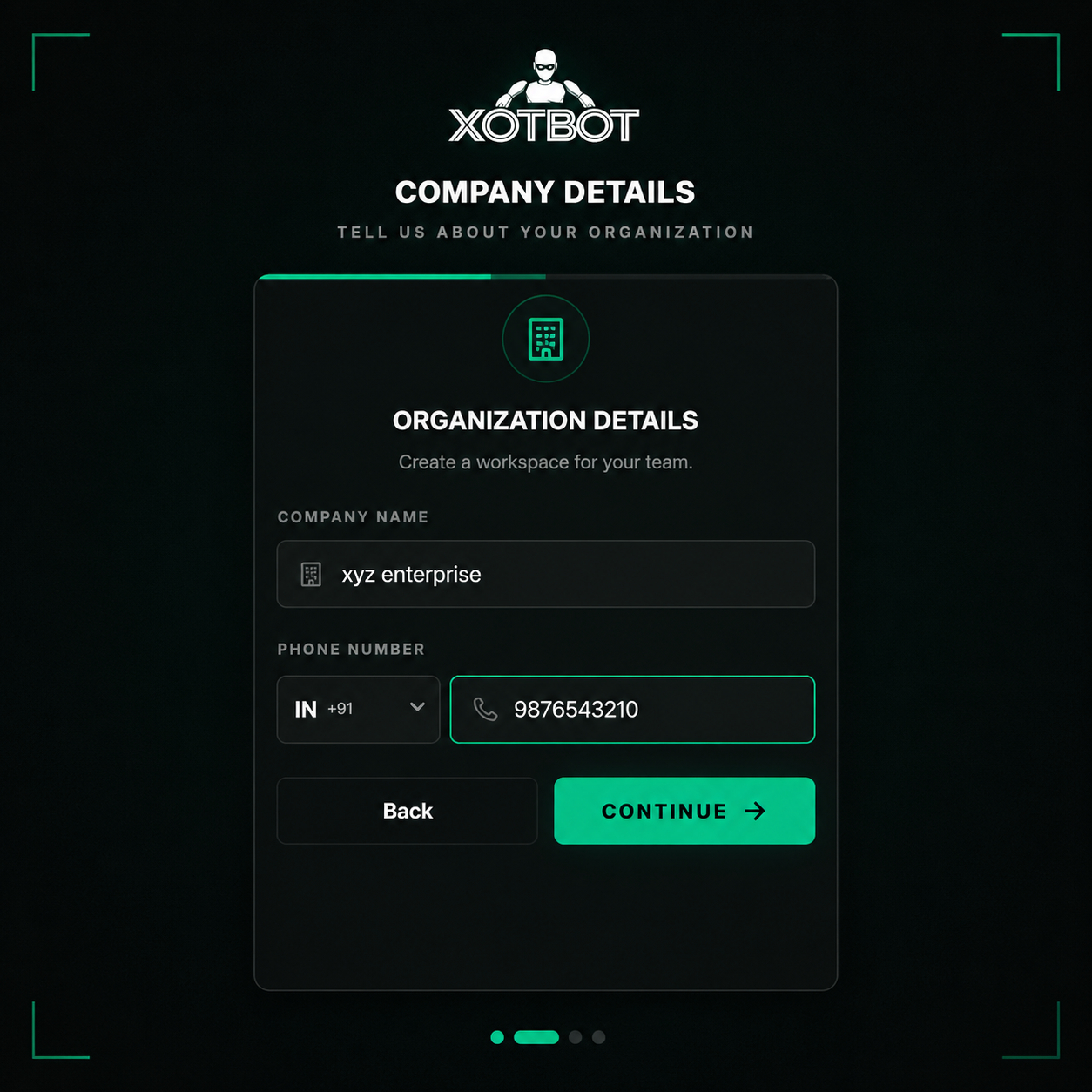
Company Details
Next, enter your company name and phone number. This helps us tailor the experience and provide better support for your business needs.
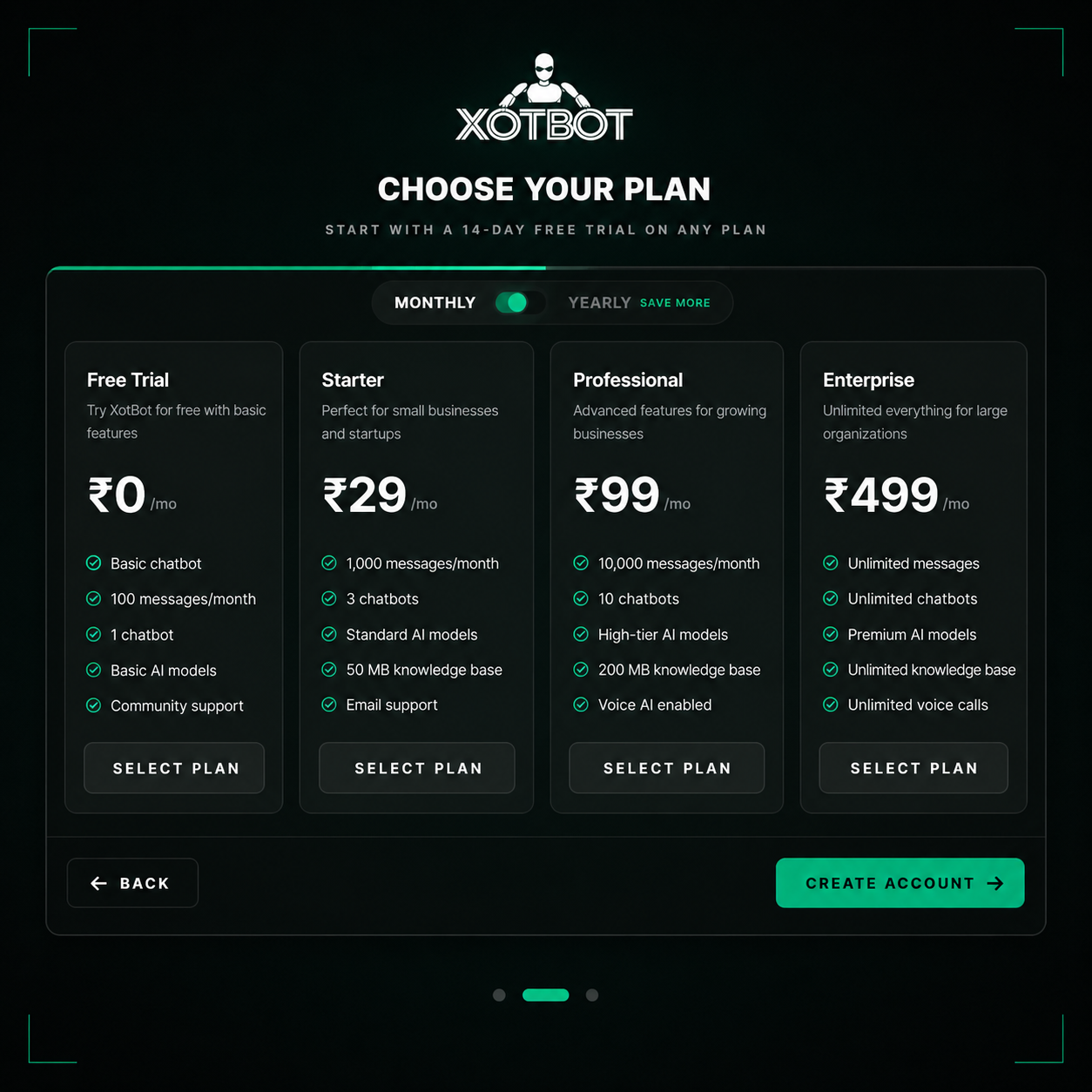
Choose Your Plan
Select a plan that works best for you. The Free plan is a great way to test out the platform before committing to a paid tier.
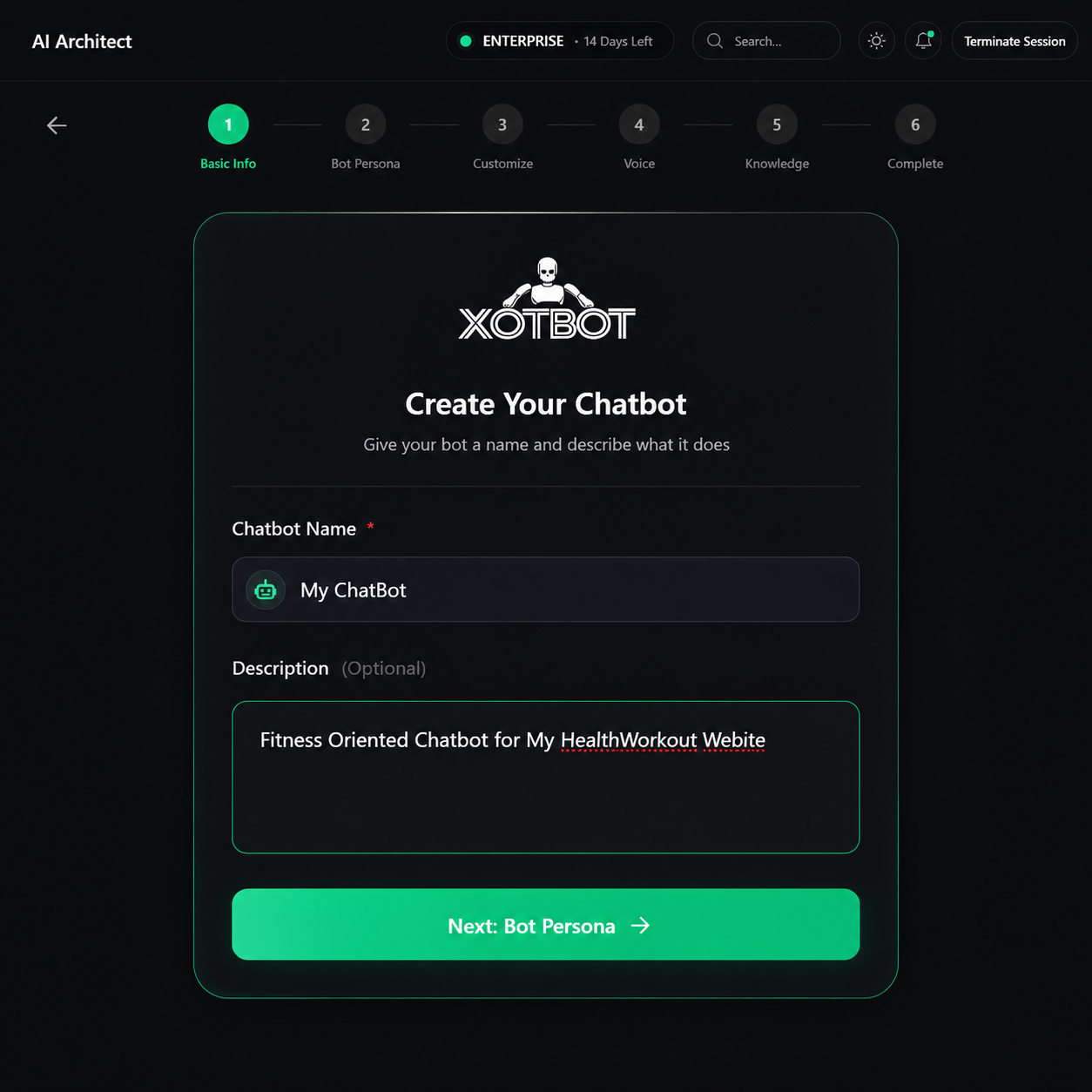
Name Your Chatbot
Click "Create New" in the sidebar to launch the chatbot wizard. Give your bot a name and a short description — this helps you manage multiple bots later.
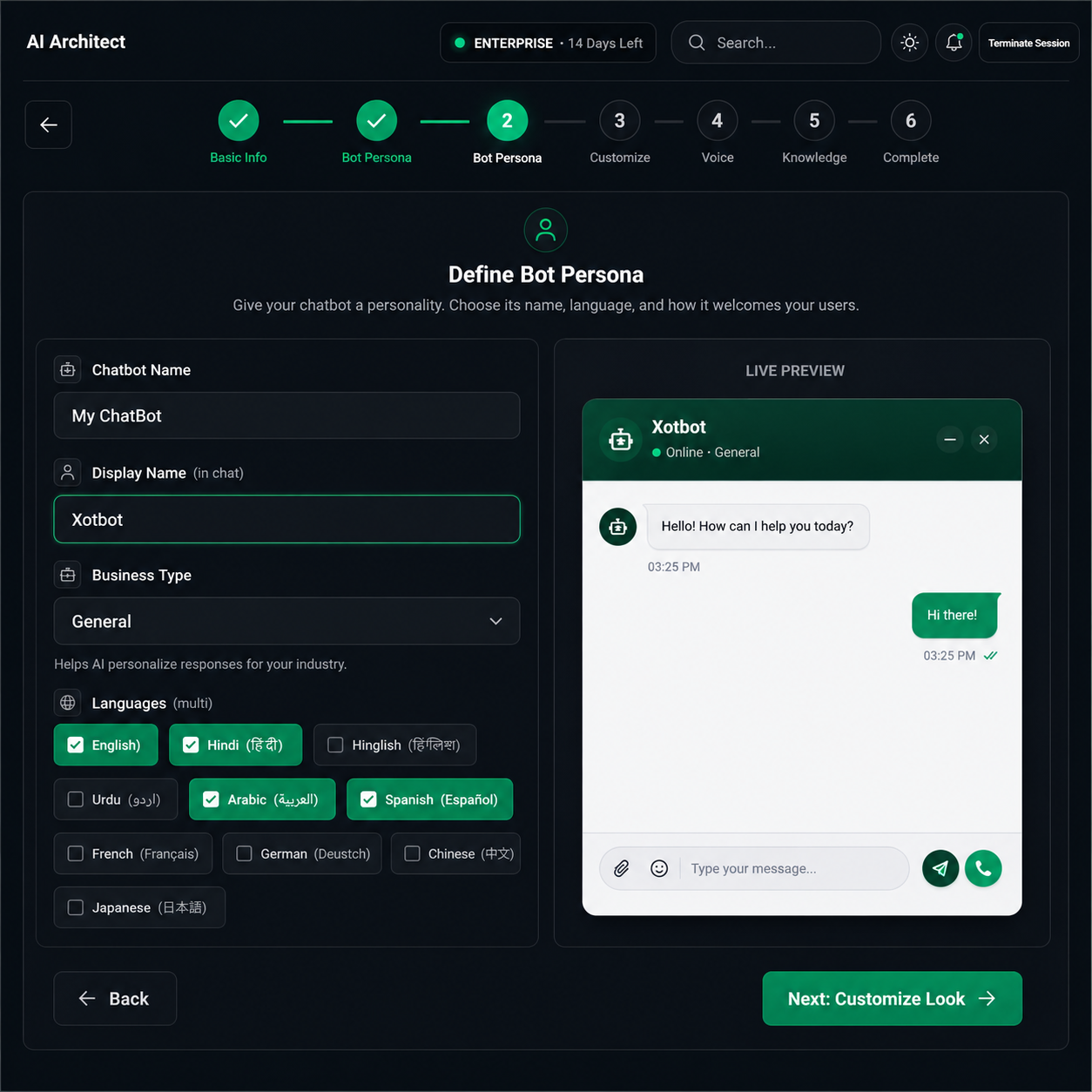
Set Bot Personality
Configure your bot's persona: choose the default language (50+ supported), set a custom greeting message, define the business type, and give it a display name your visitors will see.
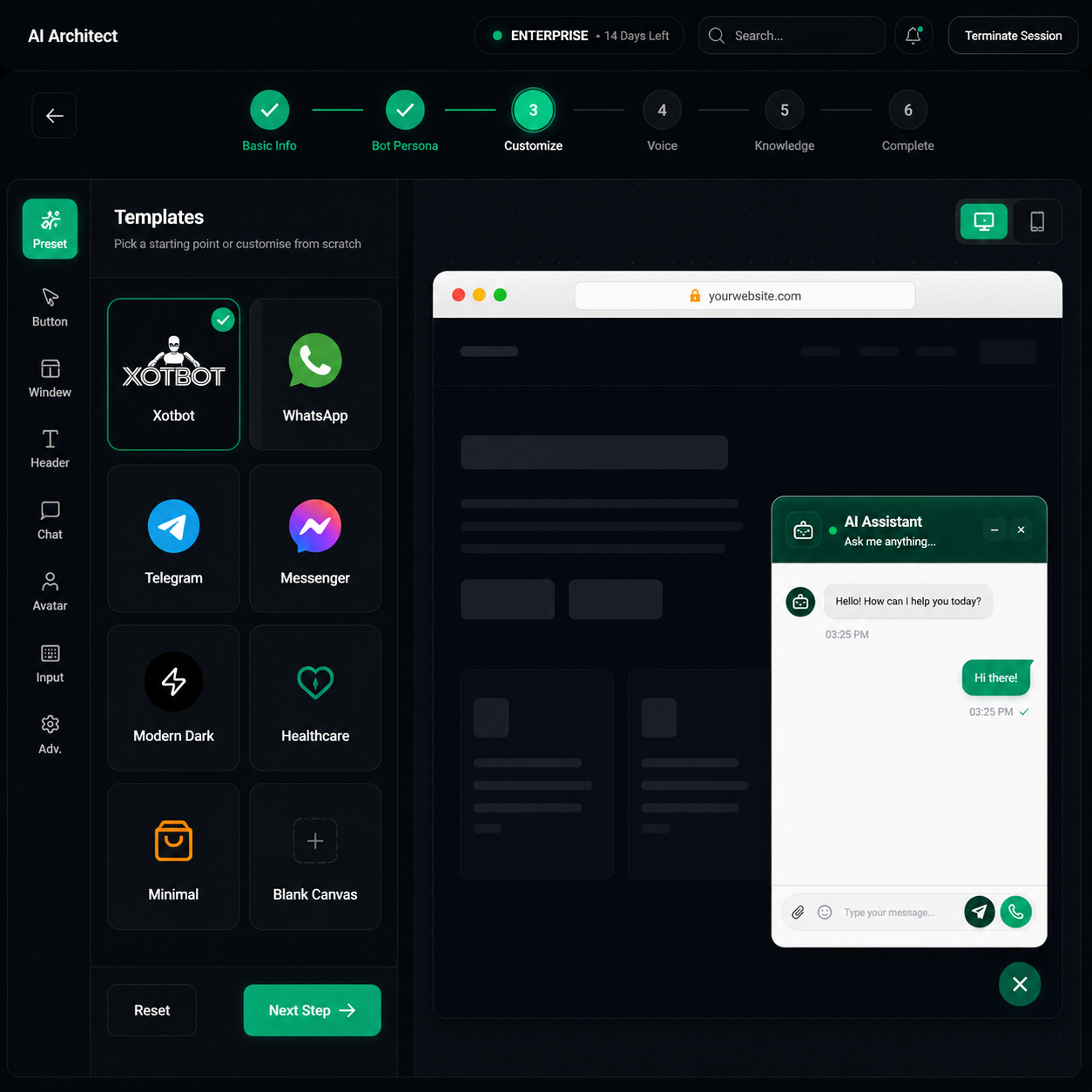
Customize Look & Feel
Use the powerful visual customizer to style your chatbot widget. Set primary colors, font styles, upload a custom avatar, choose widget position, and configure bubble styles — all with a live preview.
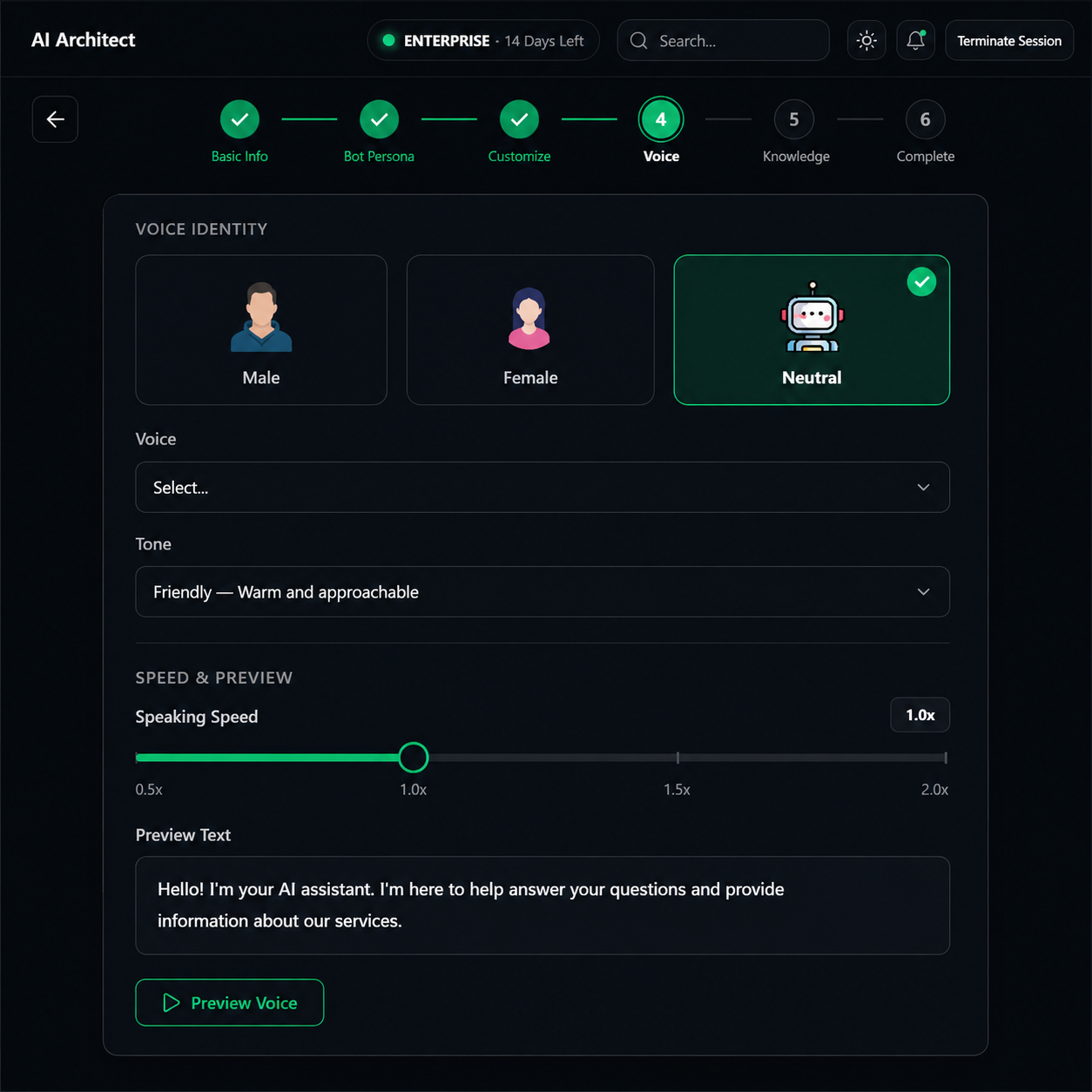
Configure Voice AI
Enable voice capabilities for your chatbot. Choose from realistic AI voices, adjust the speaking rate and pitch, and let your users interact using both text and voice for a truly engaging experience.
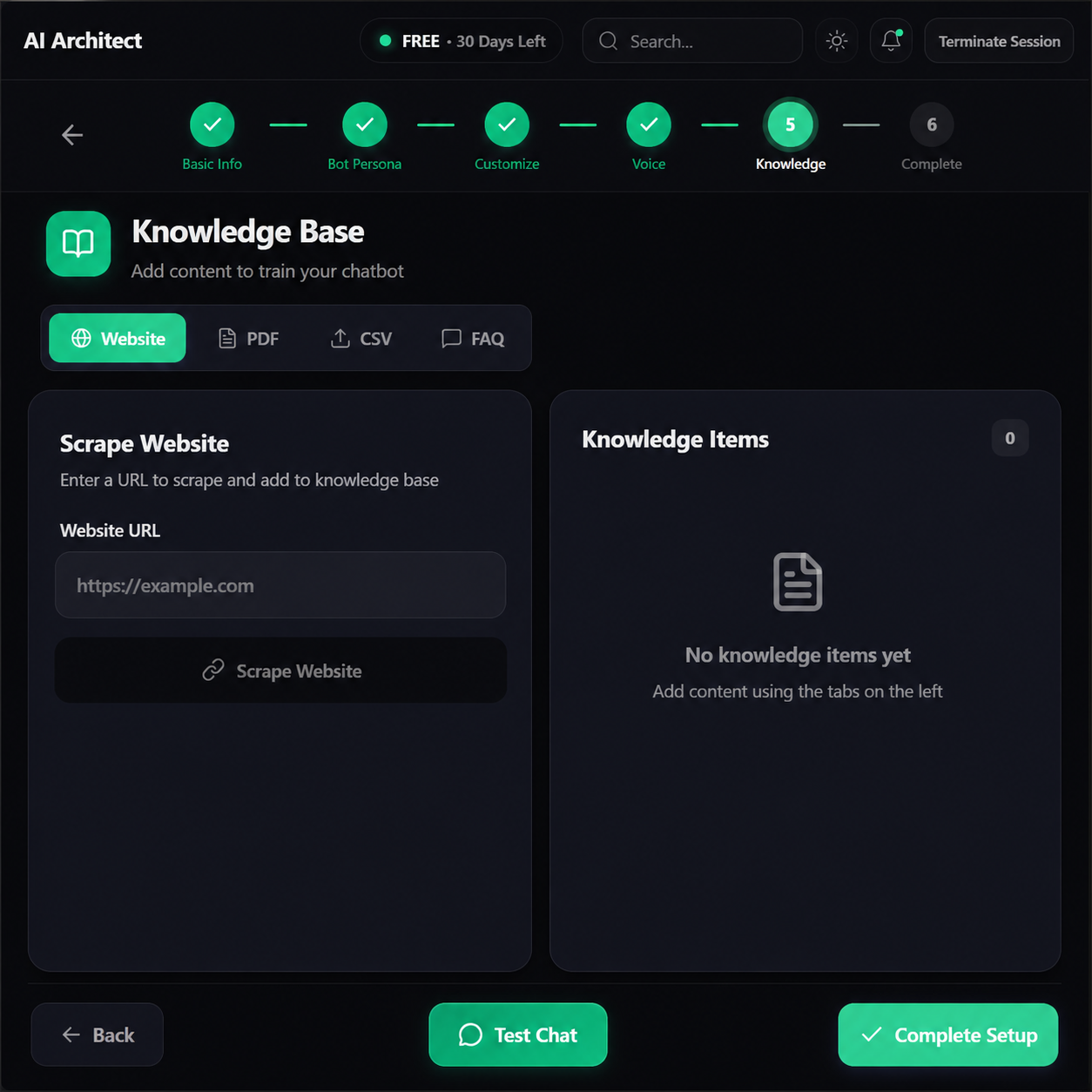
Train with Your Data
This is where the magic happens. Paste your website URL and our AI crawler will automatically scrape every page — products, pricing, FAQs, policies — and build a knowledge base. You can also upload PDFs or add custom Q&A pairs.
Test Your Bot
Before going live, use the built-in testing interface to chat with your bot. Verify that it answers correctly based on the knowledge base you provided.
Deploy & Go Live
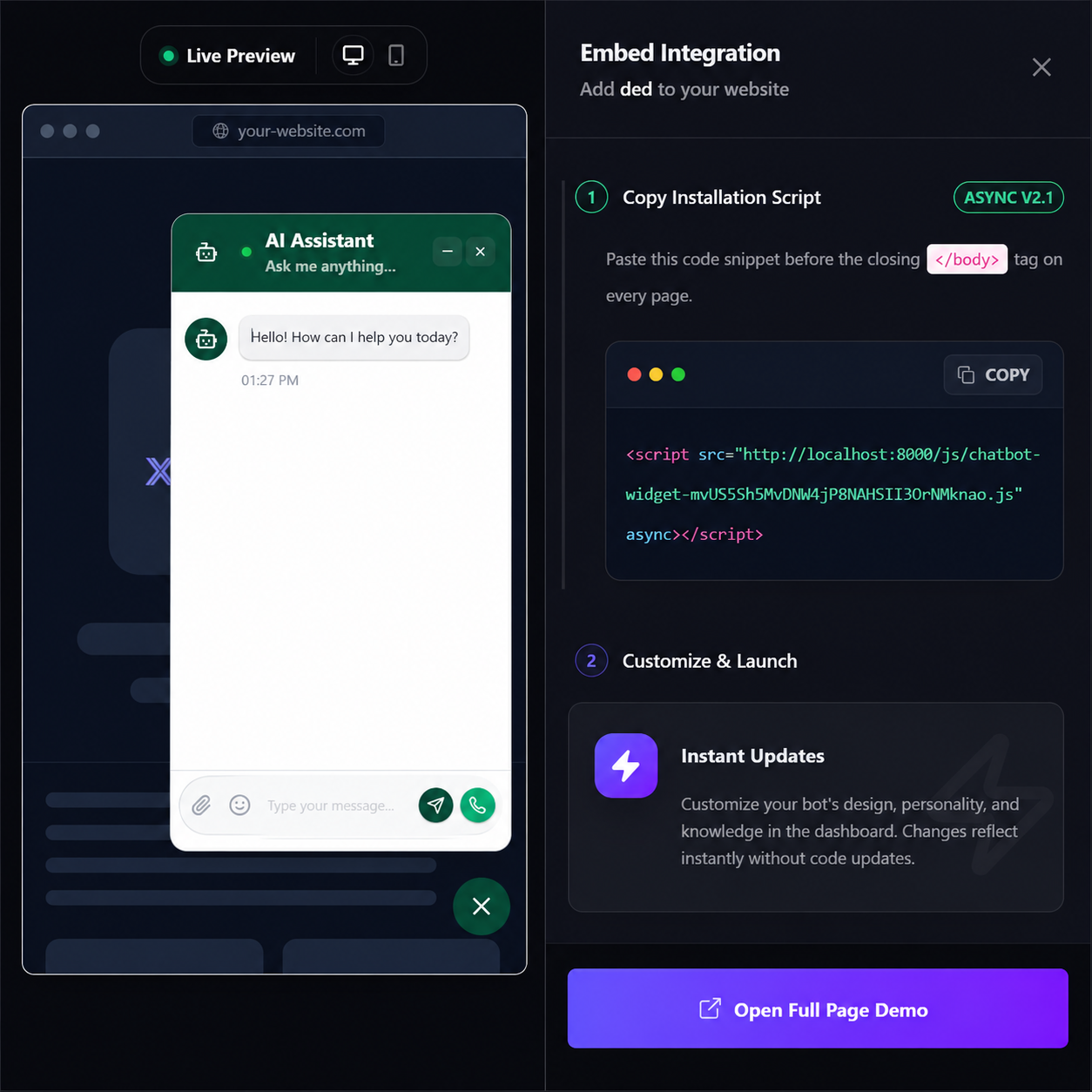
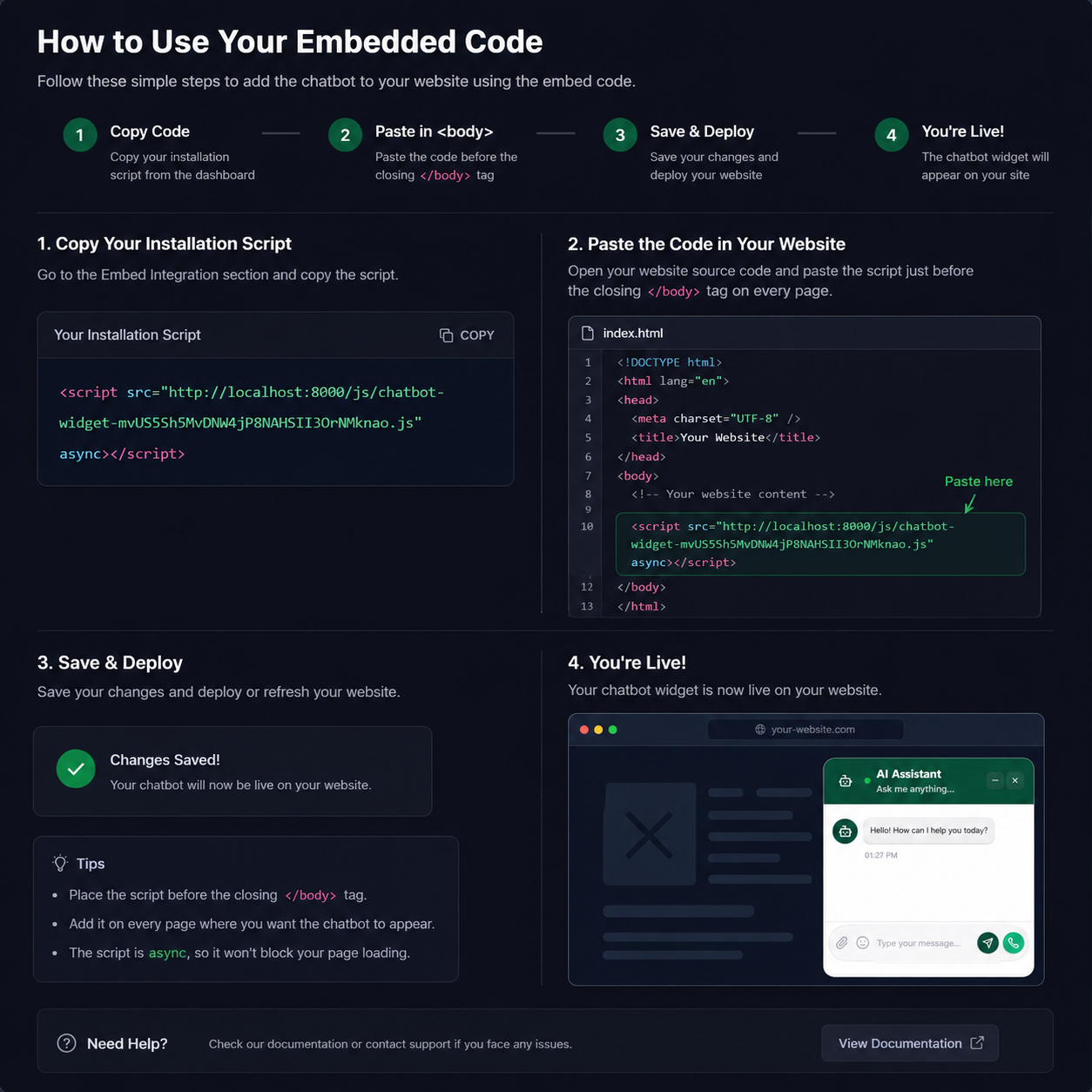
Copy your installation script from the Embed Integration section and paste it into your website's HTML just before the closing </body> tag. Your AI chatbot is now live!
Your Command Center
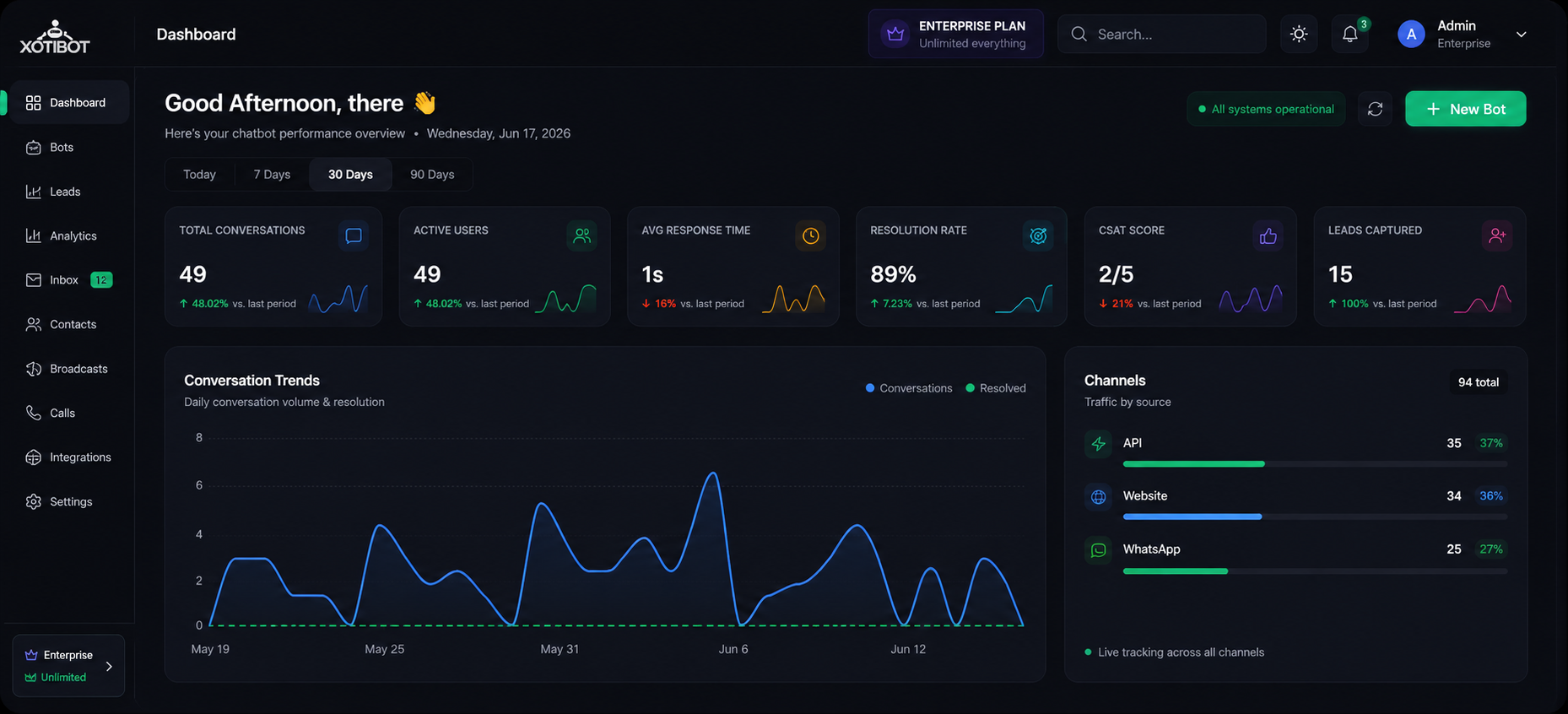
Once deployed, monitor everything from your dashboard — conversations, leads, analytics, voice calls, and more.
Ready to Build?
Join thousands of businesses using XotBot to automate customer support and generate leads 24/7.